Don't miss
a single message.
NotifLink saves every notification you receive — including messages the sender later deletes. Sorted by contact, private and fully offline.
Free • Android 7.0+
- offline, no internet
- 100%
- offline, no internet
- encrypted backups
- AES-256
- encrypted backups
- data sent to servers
- 0
- data sent to servers
Features
Everything you need from a notification history
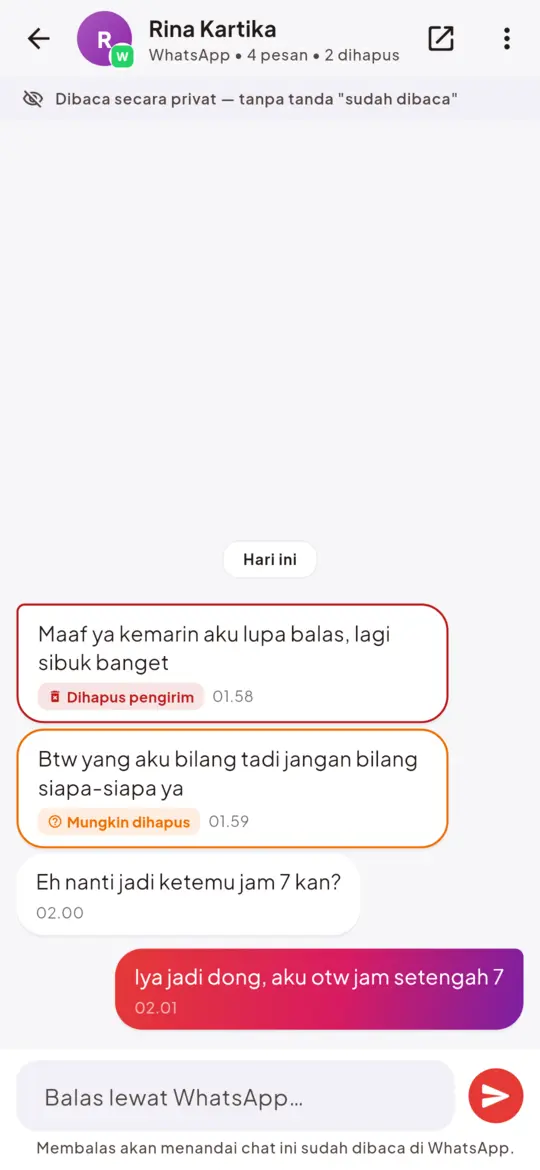
Read deleted messages
Unsent messages stay saved and marked “Deleted”, plus smart “Possibly deleted” detection.
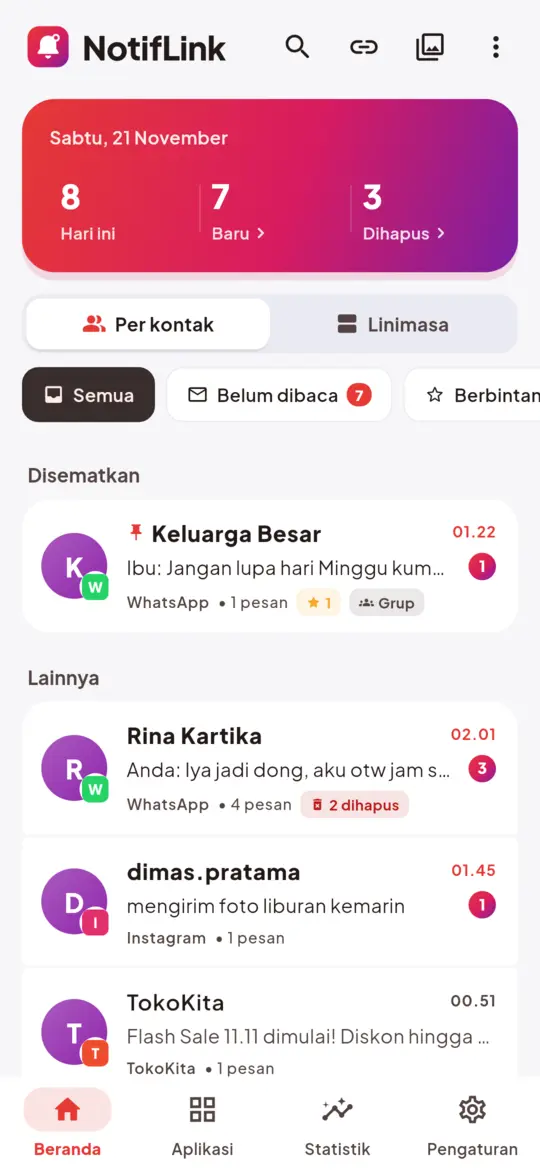
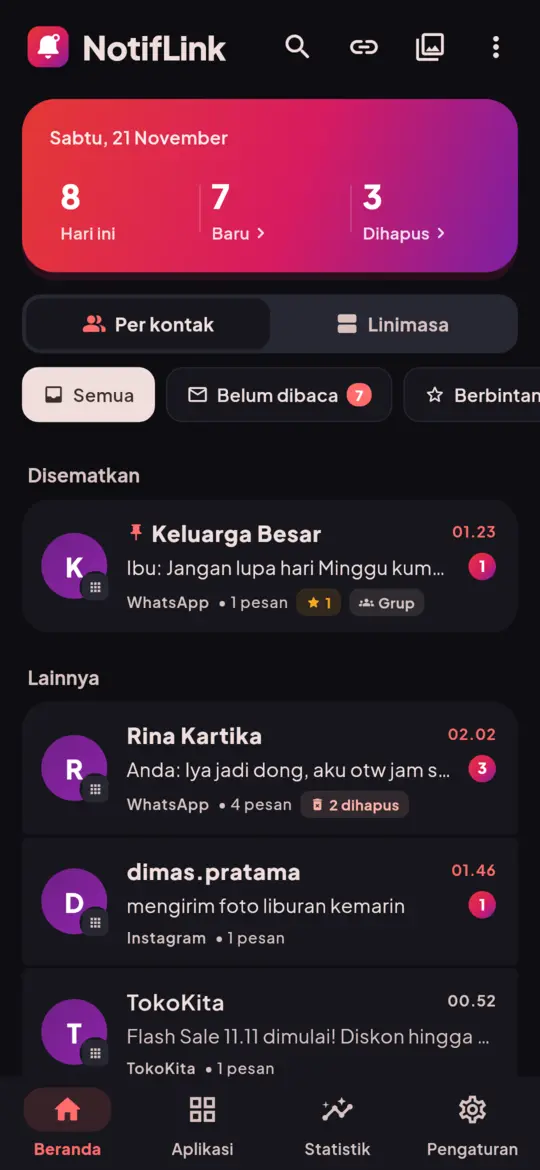
Sorted by contact
Notifications grouped by contact and group. Pin what matters, manage many at once.
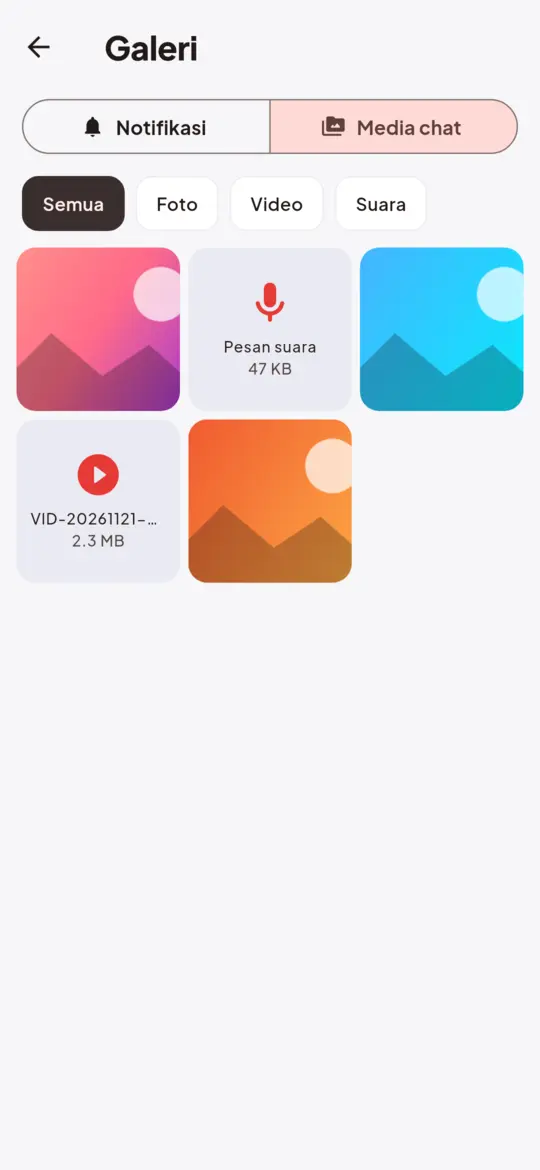
Photos & voice notes
Automatically keep media you receive in chat apps — even after it’s unsent.
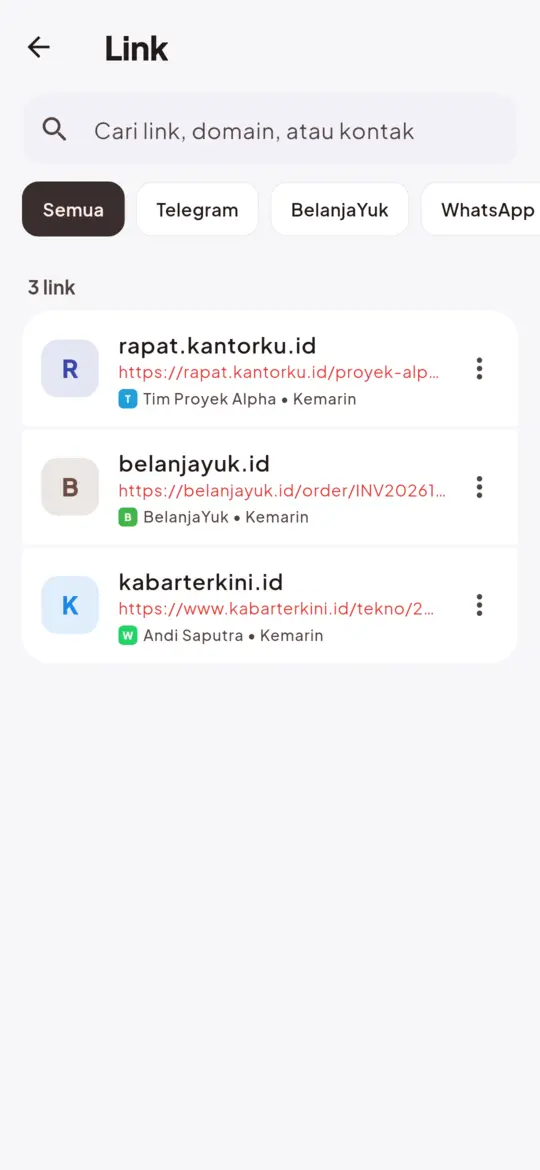
All links in one place
Every link from your notifications, opened safely with a domain preview.
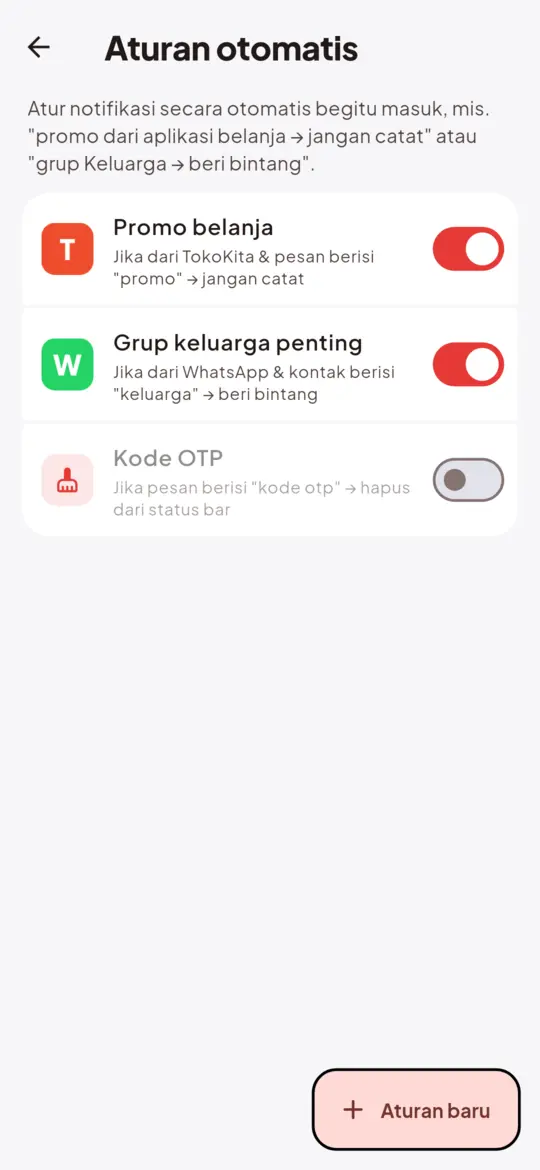
Automatic rules
Ignore promos, mark as read, star, or clear from the status bar automatically.
Advanced search
Search by app, contact and date. Save your favourite searches.
Quick reply & widget
Reply from NotifLink, glance at the widget and get a daily summary.
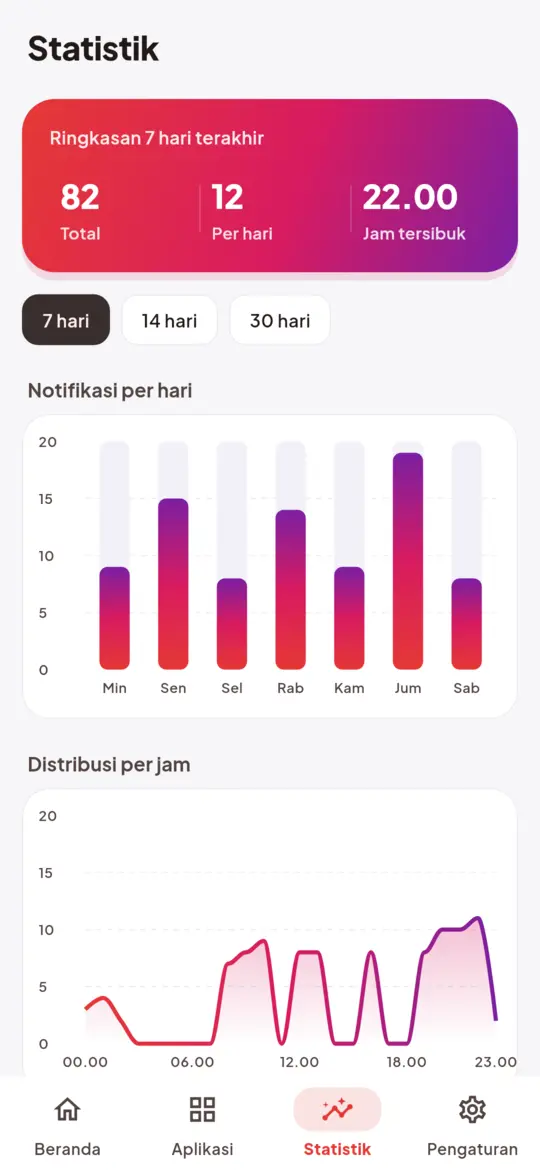
Insights
Daily trends, busiest hours and your noisiest apps.
How it works
Ready in one minute
- 1
Install from Google Play
Free and lightweight — no account or sign-up.
- 2
Allow notification access
NotifLink reads the notifications shown on your phone and stores them on your device.
- 3
Done — everything is logged
Open it anytime to read messages, links and media you received.
Screens
Simple, premium, a joy to use
Privacy
Your messages stay yours
NotifLink is private by design. No servers, no accounts, no tracking.
Read the privacy policy-
No internet permission
The app technically cannot send data off your phone.
-
Excluded from cloud backup
Your history is excluded from Google backup and device transfer.
-
PIN & fingerprint lock
PBKDF2-hashed PIN with lockout after repeated wrong attempts.
-
Encrypted backups
Move phones with an AES-256 file only your password can open.
FAQ
Frequently asked questions
Can NotifLink show messages deleted before it was installed?
No. NotifLink only saves notifications that appear after notification access is enabled.
Why are some messages missing?
A message is only saved if it appeared as a notification. Muted chats, or chats open when the message arrived, produce no notification.
Will the sender know I read their message?
No — reading in NotifLink sends no read receipt. Quick reply, however, marks the chat as read in the original app.
Is my data sent to a server?
No. NotifLink has no internet permission. All data stays on your phone.
How do I move to a new phone?
Use Settings › Encrypted backup, keep the file, then Restore backup on the new phone with the same password.
Is NotifLink made by WhatsApp?
No. NotifLink is an independent app, not affiliated with WhatsApp, Meta, Telegram or Instagram.
Start saving your notifications today
Free on Google Play. Private, no account.